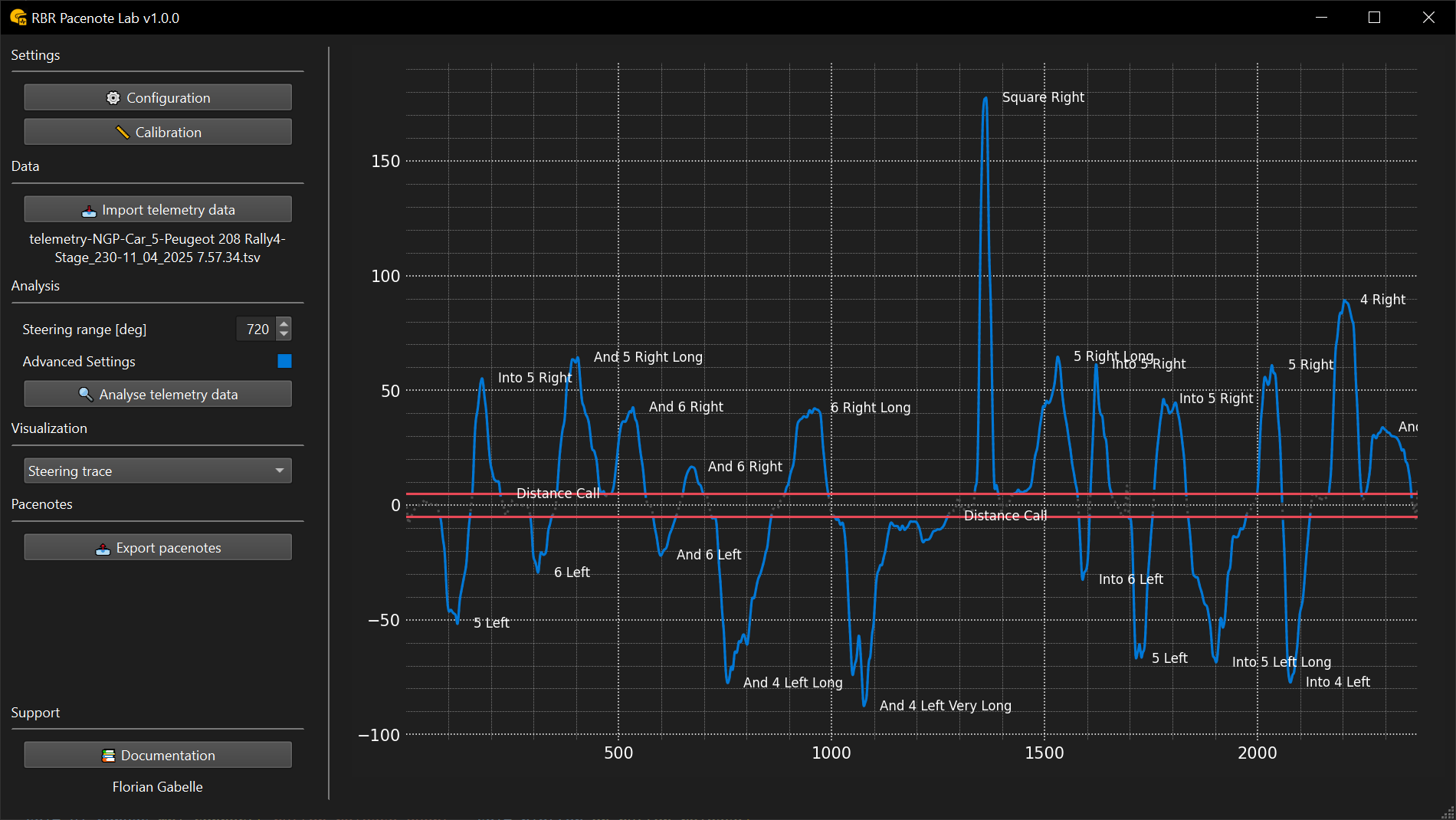
RBR Pacenote Lab is a data-driven tool for generating fully customizable co-driver pacenotes for the Richard Burns Rally simulator. It offers precision, flexibility, and full compatibility with any co-driver system.
Save up to 75% of your time — if creating notes for a 15 km stage used to take over 2 hours, expect to finish in just 30–45 minutes.
If existing pacenotes don’t suit your driving style, or if building your own feels too complex, this tool can help. It lets you generate a clean, personalized base with minimal effort — no need to start from scratch.
Let the software handle the precision and structure so you can focus on reviewing and refining.
🗒️ Pacenote contents
Generated pacenotes include:
- Corner links — e.g., into, and
- Corner calls — numeric, descriptive, or custom
- Modifiers — optional plus/minus notation (even for unsupported co-drivers)
- Corner lengths — short, long, very long
- Distance callouts — optional straight-line markers
- Stage tags — Start, Split, Finish, End_of_track

You can fine-tune output using:
- Custom placement distances
- Adjustable steering thresholds
- Filters to ignore small or irrelevant corners
📈 Data analysis engine
Currently supports:
- Steering input
- Odometer
- GPS
Planned additions:
- Accelerometer
- Gyroscope
🎙 Co-driver compatibility
Whether you use the original RBR co-driver, modded systems, or a custom setup, RBR Pacenote Lab adapts to your co-driver:
- Legacy co-drivers
- Community co-driver mods
- Numeric, descriptive, or custom styles
The tool automatically aligns with your co-driver’s format and structure.
✅ Compatible with:
- RBR Pacenote Plugin by WorkerBee
- RBR Roadbook by MisterArek
- RSF by the RallySimFans.hu team
Workflow example:
Generate corner and distance pacenotes in Pacenote Lab, refine the pacenotes in RBR Roadbook, select the final file in RSF Launcher, and use it with RBR Pacenote Plugin.
⚙️ Steering zones
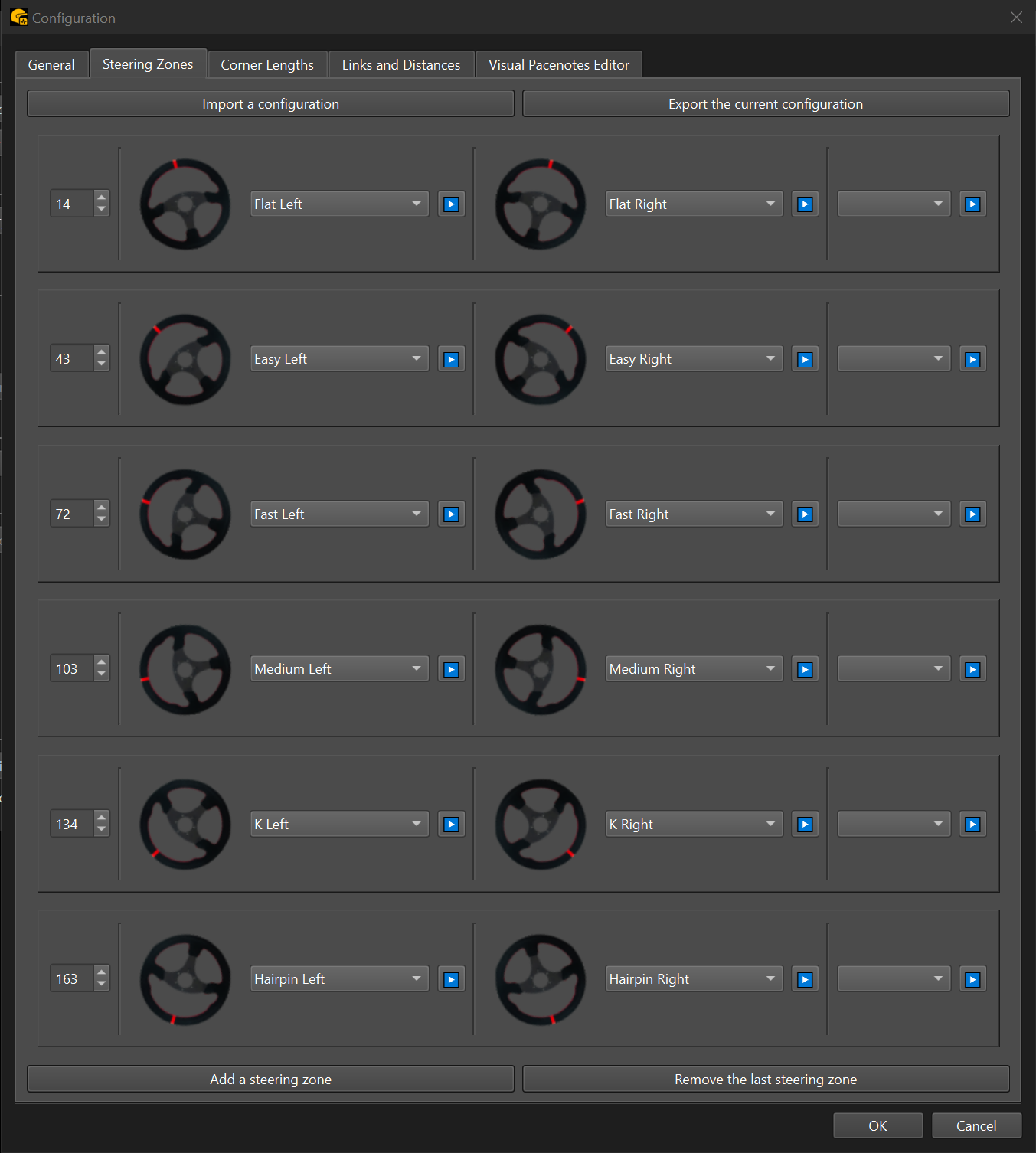
The steering zone system lets you control how turns are interpreted:
- Define custom zones with angle thresholds
- Assign pacenotes to each range
- Add modifiers (plus/minus) as needed
- Import/export presets for reuse or sharing

🛠 Additional tools
Visual pacenotes editor
Customize how each corner pacenote appears on the stage map and in-game — including 2D and 3D icons for visual pacenotes. Personalize visuals to match your style.

Calibration tool
Test and calibrate your setup using live steering angle data from your simulator.

📚 Need help getting started?
See the documentation for setup guides, usage tips, and advanced configuration.