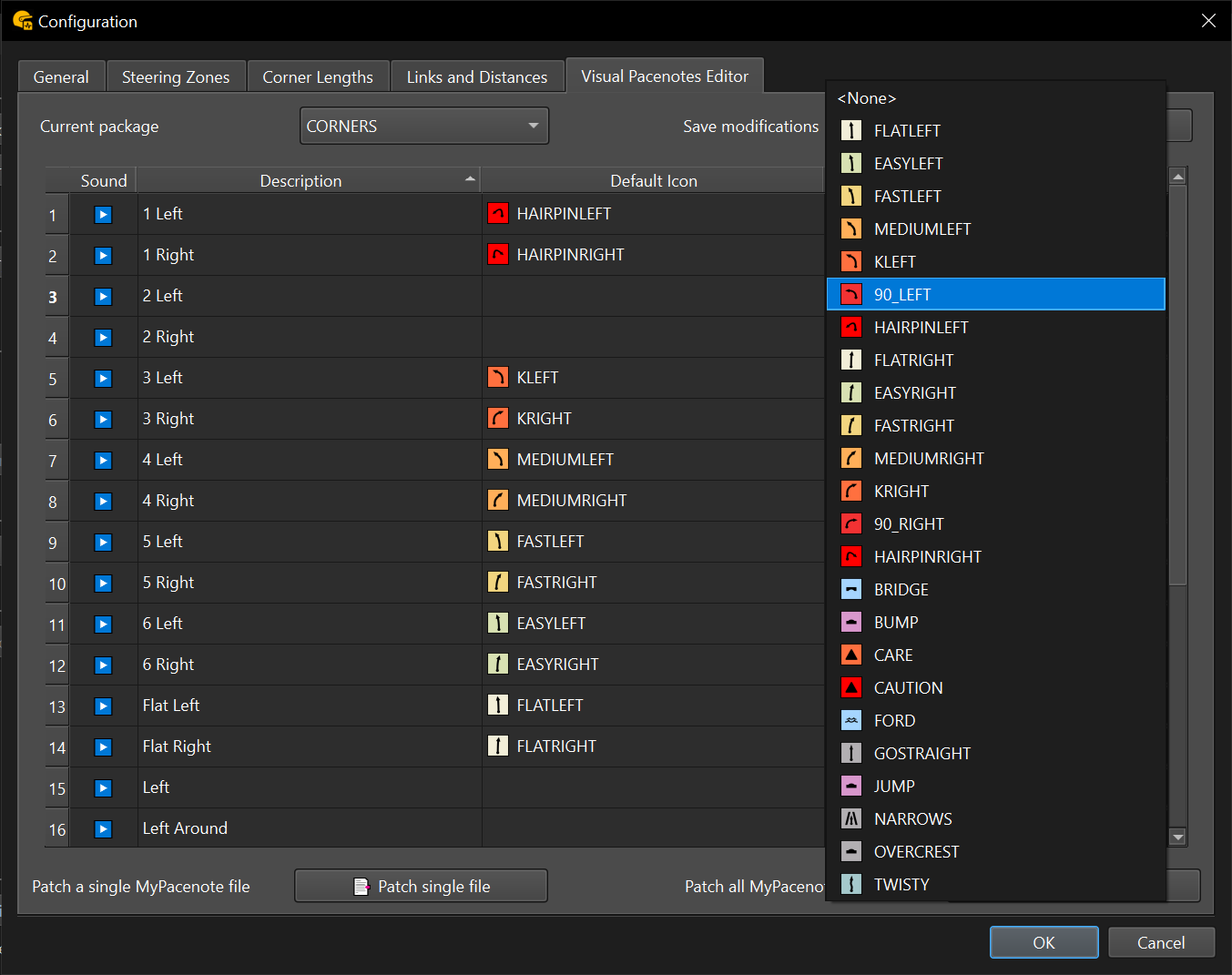
The visual pacenotes editor is located in the configuration window. It allows you to customize which icons appear on the stage map and in-game for each pacenote by modifying your co-driver’s package files.
You can select a pacenote package using the Current package dropdown. Each package defines a set of pacenotes used by your co-driver.

ℹ️ How to use the visual pacenotes editor
For each pacenote, the default pacenote icon is shown based on its unique pacenote ID. You may already see modified pacenote icons if the co-driver mod author included custom standard properties.
To override or add a pacenote icon:
- Select a new icon from the dropdown menu on the right side of the row.
💾 Don’t forget to click Save after making changes.
Each package must be saved individually.
⚠️ Important
To ensure your updated icons appear in-game, you must:
- Generate the pacenote file using RBR Pacenote Lab, or
- Import and re-export existing pacenote files via RBR Roadbook after patching your package files with this tool
- Alternatively, you can use the built-in patching tool to regenerate the flags in your pacenote files. This allows you to patch a single pacenote file or all files located in the
Plugins\NGPCarMenu\MyPacenotesfolder.
💡 It is recommended to create a backup of your files before patching, in case you need to revert changes.